
New Sign up for AI ERP by AITIGER, our CRM and task manager

A CRM and task manager that make sure no lead is forgotten

Every enquiry from your website, ads, calls and WhatsApp lands in one CRM, goes to the right person and becomes a task with a due time.

Today's tasks

CRM + Task manager

Call back new lead from Google Ads

Assigned to sales, source tagged

10:30

Send quotation on WhatsApp

Lead moved to Follow-up

12:00

Follow up after site visit

Reminder sent on WhatsApp

Today

Start onboarding for won client

Created for delivery team

Tomorrow

New

Fresh enquiries

Follow-up

Calls and quotes

Won

Handed to delivery

New lead assigned. Call task due in 10 minutes.

Watch: better task management in 60 seconds

Your team does not need more tasks. It needs better task management.

Emails, calls, meetings and follow-ups pile up across WhatsApp groups and notebooks. Our task manager puts every task in one place, with an owner, a due time and a reminder, connected to your CRM.

Every task has an owner and a due time
Reminders on WhatsApp before anything is missed
A daily list for each person, a full view for managers
Leads from your CRM turn into tasks automatically
Why a CRM matters

Most lost sales happen after the enquiry, not before it

Businesses spend on ads and SEO, then lose leads to slow replies, missed calls and forgotten follow-ups. A CRM keeps every enquiry visible until it is closed.

No enquiry lost in personal WhatsApp chats
Faster first reply on every new lead
Follow-ups on time, every time
A clear owner for every lead
Customer history kept when staff change
Real numbers on what your ads and SEO bring in
What CRM and task automation covers

Six parts of a sales system that follows up on time

Most businesses track leads in WhatsApp chats, notebooks and spreadsheets. We put them in one CRM, connect a task manager and automate the follow-ups.

Lead capture from every source

Website forms, Meta and Google lead ads, calls, WhatsApp and QR codes all create a lead in the CRM automatically, tagged by source.

Forms and lead ads
Calls and WhatsApp
Source tagging
Auto assignment and routing

New leads go to the right salesperson by city, product or turn, with an instant alert so the first call happens in minutes.

Round-robin assignment
Rules by city or product
Instant new-lead alerts

Sales pipeline

See every deal by stage, from new enquiry to won, with notes, calls and messages saved on the lead.

Custom stages
Notes and call history
Won and lost reasons

Task manager

Every lead and project becomes tasks with an owner and a due time, so each person knows exactly what to do today.

Owners and due times
Daily list for each person
Recurring tasks

Follow-up reminders

Reminders reach your team on WhatsApp and email before a follow-up is due, and leads can get automatic WhatsApp messages too.

WhatsApp and email reminders
Automatic lead messages
Overdue task alerts

Reports and dashboards

One dashboard shows leads by source, reply time, pending tasks and sales by person, so you can see where deals get stuck.

Leads by source
Team performance
Pending and overdue tasks
CRM plus task manager

Why your CRM and task manager should work together

A CRM tells you who your leads are. A task manager tells your team what to do next. Connected, every enquiry turns into a task with an owner and a deadline, and nothing depends on memory.

01

Every lead becomes a task

A new enquiry creates a call task for the assigned salesperson, with a due time.

02

Follow-ups never slip

When a call ends, the next follow-up task is created on its own, so no lead goes cold.

03

Managers see the whole day

One view of every task, who owns it and what is overdue, across sales and delivery.

04

Sales and delivery connected

Once a deal is won, onboarding and project tasks start for your delivery team automatically.

Why WebTiger CRM

Why businesses choose WebTiger for CRM and task automation

We do not hand you software and walk away. We set up the CRM around how your team sells, connect it to your ads, website and WhatsApp, and train your team to use it every day.

01

Built around your process

Stages, fields and tasks match how your business already sells, not a generic template.

02

Connected to your marketing

The team that runs your ads, website and WhatsApp connects them to the CRM, so every lead source is tracked.

03

Your team actually uses it

Hands-on training, simple screens and WhatsApp reminders make it part of the daily routine.

04

Support after launch

Monthly checks, new automations and a plain report on leads, tasks and sales.

How we set up your CRM

A clear plan, with a date on every step

WEEK 1

Map your sales process

We list your lead sources, sales stages and the tasks your team repeats every day.

WEEK 2

Build the CRM and tasks

Pipeline, fields, assignment rules, task templates and reminders, connected to your forms, ads and WhatsApp.

WEEK 3

Train and launch

Your team is trained on real leads, old leads are imported, and the system goes live.

AFTER LAUNCH

Support and improve

Monthly checks, new automations and a plain report on leads, tasks and sales.

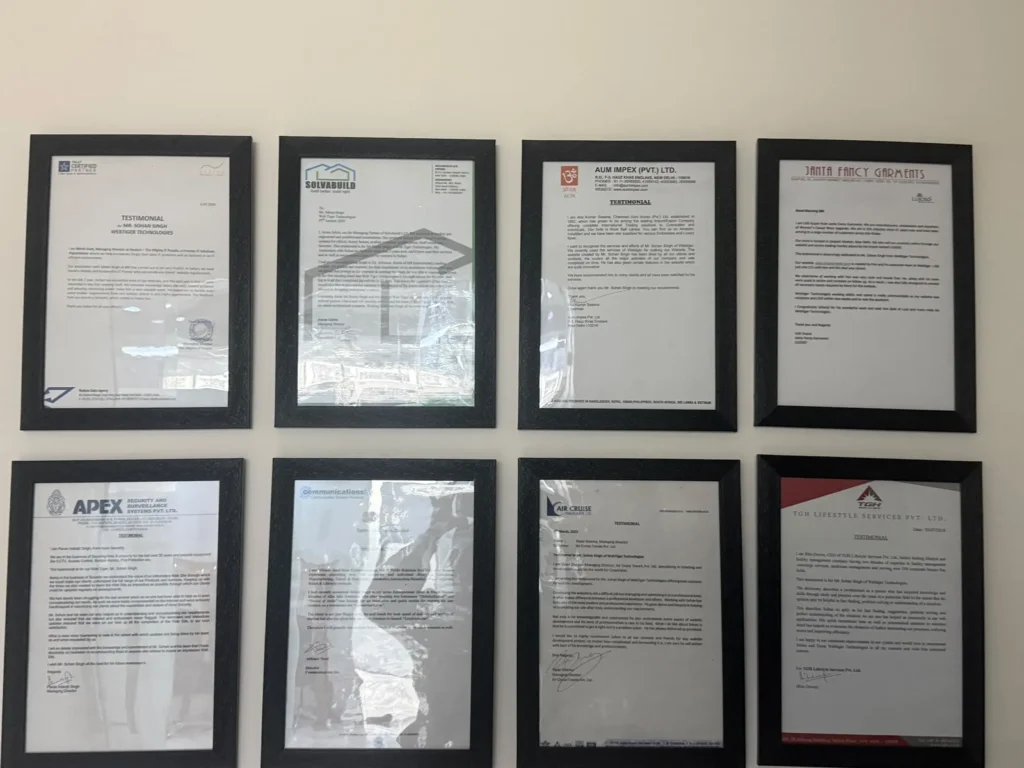
Framed client testimonial letters on the WebTiger office wall
Client letters

Our clients put it in writing

These framed testimonial letters hang on our office wall, from clients who trusted us with their leads, websites and marketing.

CRM questions

What business owners ask us about CRM and task automation

Still unsure? Call +91 8512022190, Monday to Friday, 9:00 to 19:00.

Which CRM do you set up?

We set up a CRM that fits your team size, budget and sales process, or improve the one you already use, and connect a task manager to it.

How long does setup take?

Most setups go live in three to four weeks, depending on how many lead sources and team members are involved.

Can my old leads be moved in?

Yes. We import your existing leads from spreadsheets, phones or your old CRM, so your team starts with full history.

Will my team find it hard to use?

We keep screens simple and train your team on real leads. WhatsApp reminders mean they do not need to keep the CRM open all day.

Who owns the data?

You do. Your leads, contacts and task history stay in your account, and you can export them at any time.

More from WebTiger

Other services from our team

Most clients use two or three of our services together. One team plans them all, so your website, search, ads and WhatsApp work towards the same enquiries.

AI ERP by AITIGER

Sign up and see the CRM and task manager for yourself

Create your account on AI ERP by AITIGER and look around the CRM, pipeline and task manager. Our team is on WhatsApp if you want a walkthrough.

Leads and pipeline in one place
Task manager with owners and due times
Follow-up reminders
Reports for every team member

How to get started

1

Create your account

Sign up on AI ERP with your name and business details.

2

Look around the product

See the CRM, pipeline and task manager for yourself.

3

Set it up with us

We set it up around your sales process and train your team.

Or call +91 8512022190

Scroll to Top